

TLDR
You can save the most on running H100 combining three practices: use a multi provider search to locate the lowest spot prices, design training flows that avoid idle compute, and checkpoint aggressively so you can migrate between providers without losing progress. This guide explains how to do that in a reliable and developer friendly way.
Why H100 Pricing Varies So Much
H100 pricing varies widely across on demand providers, spot markets, and community GPU platforms. Depending on supply, region and host capacity, the same H100 can be listed for under $2 per hour on providers like Vast AI, Akash or climb to well above $8 per hour. This spread makes price discovery essential if you want consistent cost efficiency, and it's not just noise: the whole market has been trending in one direction since mid-2025, which we break down in why cloud GPU prices are rising again.
Most engineers end up overpaying because they lock themselves into a single platform or they keep jobs running even while idle. Both issues can be solved with better discovery and better workload design.
Practice 1
Use a cross provider search to locate the lowest price
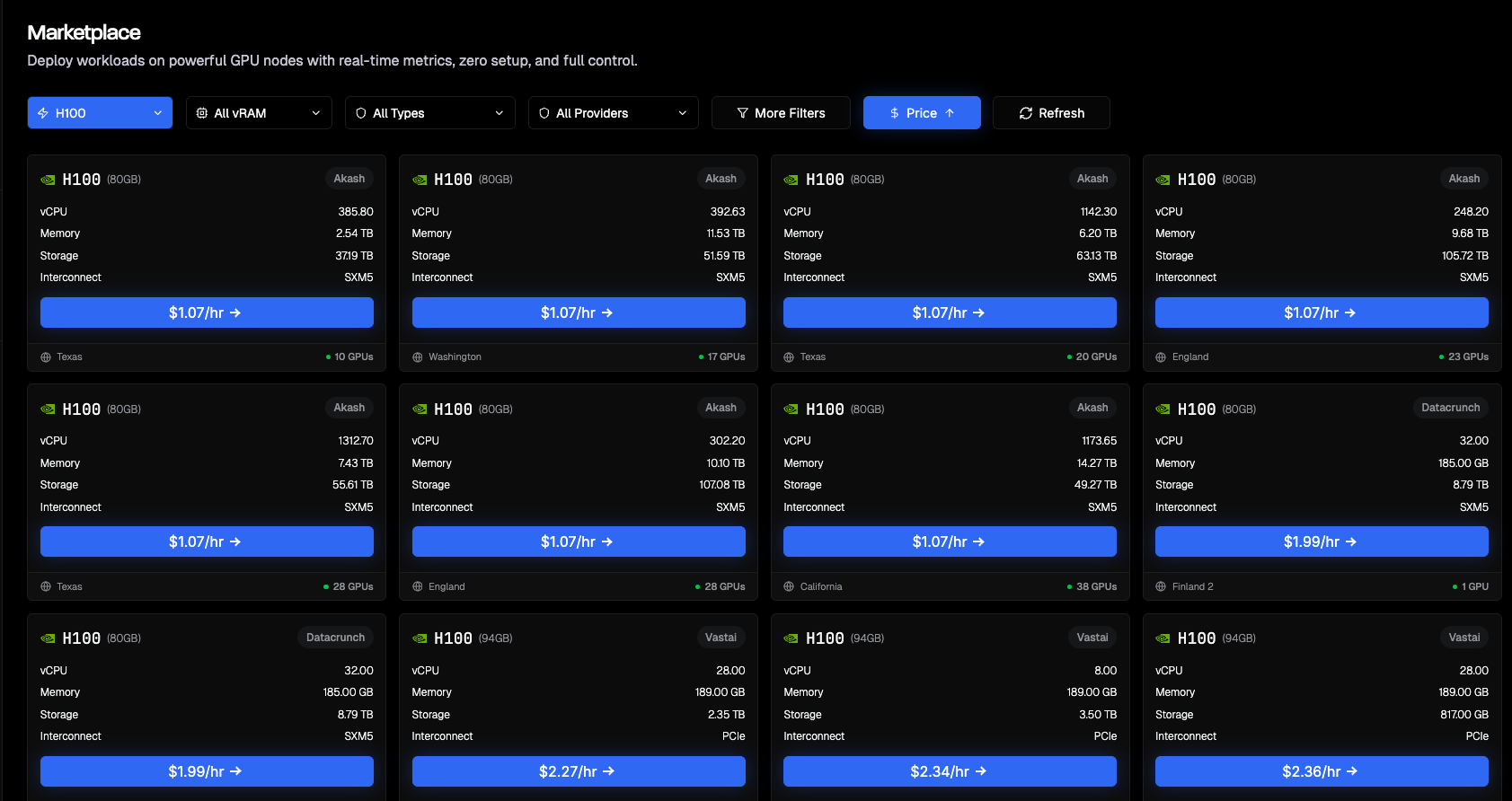
Spot markets and community GPU marketplaces often offer significantly lower prices, but availability fluctuates. A cross provider discovery layer helps you find the current lowest cost H100 without manually checking multiple dashboards.
Aquanode includes a simple price filter that aggregates listings across major marketplaces. Browse the current marketplace, or scan the live GPU Availability Index for lowest and median $/hr across providers. You can sort by effective hourly price, memory size, or host rating. This matters because H100 prices frequently fall below $2 during low demand windows. For a wider snapshot across GPU models and vendors rather than just H100, see cheapest cloud GPU providers.
Practice 2
Avoid idle GPU time with checkpoint first training
The biggest hidden cost in H100 workloads is idle compute. If you treat GPU sessions as disposable, you can terminate them whenever the GPU is not actively training and then resume later.
A practical pattern:
- Save a checkpoint after every N steps
- Sync checkpoints to durable remote storage
- Shut down the H100 when preprocessing, evaluation, or debugging creates idle time
- Resume on any available H100, even from another provider
This keeps your effective cost close to actual training time instead of total session time.
Practice 3
Migrate between machines without affecting training
If a cheaper H100 becomes available, you should be able to move immediately. Frameworks already support this:
- PyTorch
state_dictcheckpoints - DeepSpeed and FSDP sharded checkpoints
- Hugging Face Accelerate unified checkpointing
Example workflow:
- Train on an H100 you found at around $2
- A new listing appears at $1.60
- Save a checkpoint and stop the current session
- Start a new session on the cheaper host
- Restore and continue training
This mirrors large scale cluster scheduling strategies but applied to public GPU markets.
Realistic Example
Suppose you train a diffusion model for 8 hours daily. Traditional long lived instances often accumulate idle time, costing more than expected. Instead:
- During active training: rent the lowest cost H100 available
- During CPU heavy preprocessing or debugging: shut the instance down
- When a cheaper H100 appears: migrate and resume
This typically yields more than 40% savings because you pay only during active GPU utilization and always select the lowest priced hardware.
Notes on Stability and Provider Differences
Low cost H100s often come from diverse hosts with varying network bandwidth, NVMe performance, and startup characteristics. To keep migrations reliable:
- use containerized environments
- store checkpoints externally
- avoid vendor specific bindings
- validate GPU compute capability on startup
Conclusion
Running H100 workloads for under $2 is not about relying on a single provider. It is about using a discovery layer that surfaces the current lowest prices and structuring your workflow so that sessions are portable. Aquanode helps identify low cost options, while checkpoint first design keeps training independent of any single machine or provider. See the deployment docs for how to launch and migrate a VM.
